All the calling, none of the vendor sprawl.
Autocloz for call centres is the calling stack (numbers, dialer, IVR, recordings, agent presence and reports) running on a carrier you bring yourself. Every one of those screens reads from the same call records, so you can see which number is losing answers and which agent is idle without reconciling separate tools.
A 50-agent outbound team often runs a dialer, a separate IVR tool, a CRM and an analytics product, and still struggles to see which number is burned. Autocloz puts numbers, dialer, IVR, recordings, presence and reports under one login, with each workspace's data kept separate.
How does a shift run for an agent on Autocloz?
An agent signs in, sets their status to available, and opens the browser softphone. Their presence shows up on the team view in real time, so a supervisor sees who is on a call, who is wrapping up and who is idle. Calls come either from the agent's queue, where leads wait for a call step, or from a click on any lead's phone number. The dialer checks the cooldown and the DNC list before it places the call.
Caller ID is picked by country. When the lead's country is known, the routing chooses one of your numbers in that country, and falls back to any active number when none matches. After the call the agent records the outcome, and the recording attaches to the lead so the next agent to call sees what happened.
How do inbound calls and the IVR work?
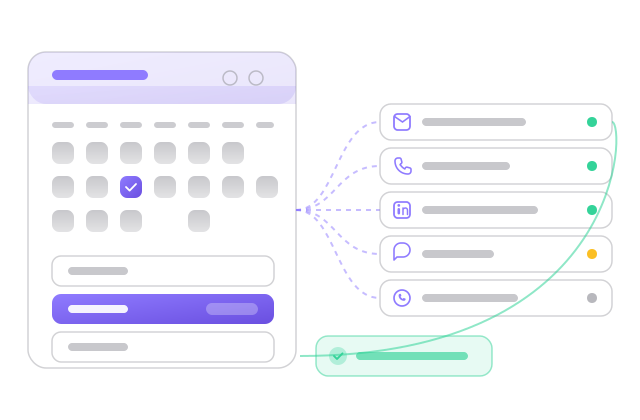
Inbound calls to your numbers hit an IVR tree you draw in the IVR menu builder. Each node is a prompt or an action, such as routing to a team, taking a voicemail or playing a message. Before you publish a tree you can run the simulator, entering digits to walk the path and confirm that pressing 1 reaches sales, not the voicemail box you meant for after hours.
Trees have statuses, so you can keep a holiday menu paused and switch it on for the day. For Telnyx numbers the tree is emitted as TeXML that the carrier executes, which keeps routing on the carrier's side of the call.
What does a supervisor watch each week?
The voice reports have five tabs. Overview shows the week's call volume and answer rate. Routing splits the same numbers by provider and by individual number, which is where a burned number shows up as a line of low answer rate. Quality groups calls by outcome, History lists every call with a filter for recorded calls, and Live DIDs shows the current state of each number.
Because carriers bill you directly, the cost side is your carrier invoice at your negotiated rate. The guide to bringing your own carrier explains the trade-off against platforms that resell minutes.
What Autocloz does not do here
- It does not sell numbers or minutes; you need an account with Telnyx, DIDLogic or FreJun.
- Voicemail drops are saved but not played into a live call automatically.
- It does not work out a lead's timezone from the phone number; a campaign window uses the lead's timezone only when one is stored on the lead.
- It does not register your business for India DLT or US 10DLC; your carrier or SMS provider handles registration.
The pain stack
What teams in this shape stop tolerating once they switch.
Number health is invisible
A number that worked yesterday stops connecting, and no one knows why, because most platforms do not show per-number answer rate. Autocloz reports it per number, and a routing rule picks a number in the lead's country for each call.
Recordings live in the carrier portal
When a team lead wants to coach an agent, they open the carrier portal, find the call by timestamp, listen, then go back to the CRM to find the lead. Autocloz keeps the recording on the lead's timeline, so coaching starts from the lead.
Compliance is spreadsheet-driven
DNC lists in Excel and calling-hour rules in a chat thread. Autocloz checks both before a call: a DNC lookup, the calling account's quiet hours, and the campaign's sending window in the lead's own timezone when one is stored on the lead. DLT registration itself stays with your SMS provider.
What you get on day one
Each capability links to its dedicated feature page if you want to drill in.
Voice platform
Connect more than one carrier. Browser softphone. Numbers assigned per agent.
See the featureDialer engine
Click-to-call from any lead, with cooldowns, a DNC check and a caller ID matched to the lead's country.
See the featureIVR builder
Visual tree builder with a step-through simulator. Active, paused and archived statuses. TeXML output for Telnyx.
See the featureVoicemail drops
Recordings saved by scope (workspace, agent or campaign). Automatic playback is not built yet.
See the featureVoice reports
Overview KPIs, routing by provider and by number, quality buckets, call history and live number status.
See the featureOnboarding timeline
What the first weeks look like for a team in this shape.
Paste your Telnyx API key, import your numbers, and assign them to agents.
Build the IVR tree: a business-hours menu where pressing 1 routes to a sales agent.
Agents go live and click to call from any lead. Recordings attach to the lead's timeline.
The voice reports show which numbers have a low answer rate, so you pause and replace them.
Calls, recordings and outcomes all sit on the lead record, and carrier charges arrive on your own carrier bill.
Frequently asked
Do we have to use Telnyx?
▾
No. DIDLogic and FreJun (for India) are supported alongside Telnyx, and you can mix carriers number by number. Autocloz routes calls through your own carrier credentials.
Can we record calls legally?
▾
Where the law allows it. You list the two-party-consent states in voice settings; if auto-recording is on for those states and no consent prompt is configured, the dialer refuses the call until you add one. The call records keep which calls were recorded.
How does TCPA compliance work?
▾
A DNC check runs before every dial. Each calling account has quiet hours in its own timezone, and a campaign's sending window is evaluated in the lead's timezone when the lead has one stored (otherwise the campaign's or workspace's). Dialing-window enforcement can be set to strict, warn or off. A predictive-dialing abandonment cap is set at 3% by default. You remain responsible for how you dial; the checks make the compliant path the default.
Ready for the 10–500 playbook?
Free workspace, no card required. Most teams send their first sequence inside an hour.